
What Is a QR Code and How Does It Work?
Learn what QR code means, how QR codes store data and error correction, how scanners read them, and how the symbol differs from its URL or destination.
Quick answer
What is a QR code? It is a two-dimensional barcode that represents data with a grid of light and dark modules. QR stands for “Quick Response,” the name DENSO WAVE chose when releasing the technology in 1994 with fast reading as a design goal. A compatible scanner locates the symbol, corrects perspective and some damage, decodes the modules, and interprets the resulting text or bytes.
The pattern can directly contain a URL, plain text, Wi-Fi settings, contact information, or another structured payload. It does not inherently know what a website shows or whether a destination is safe. The application reading the decoded data decides which action to offer.
How does a QR code work?
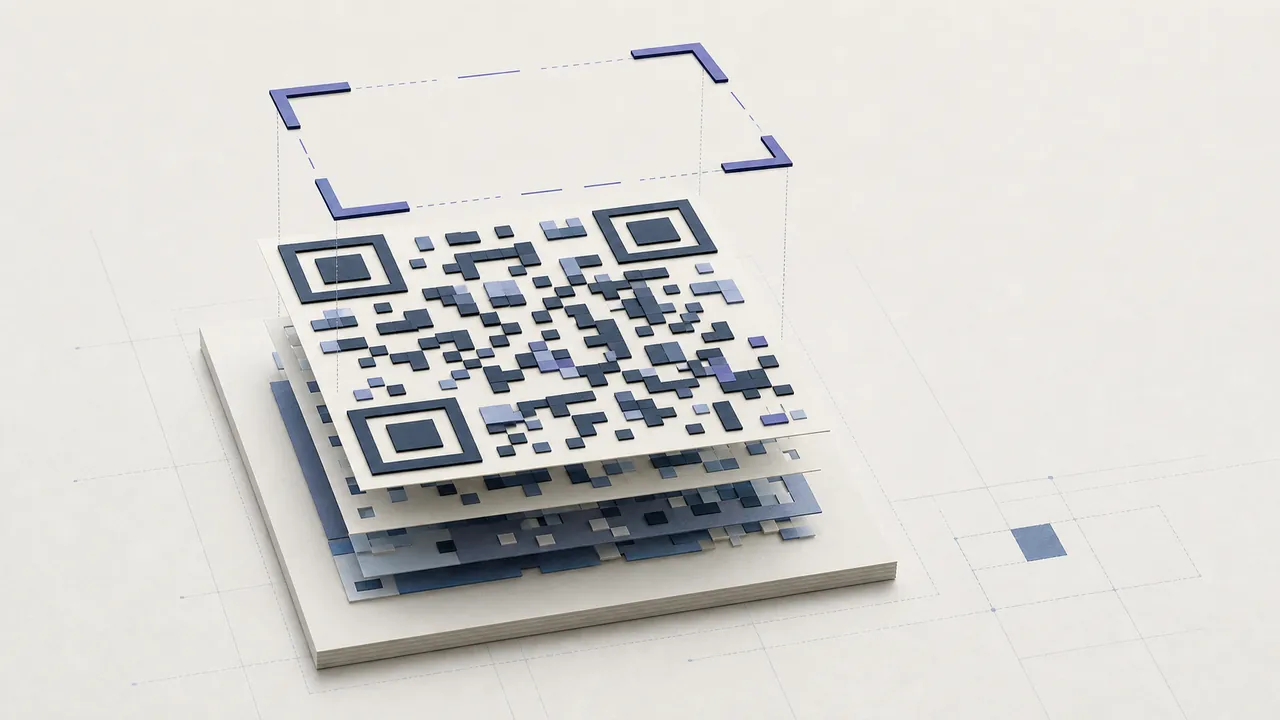
The three large square finder patterns help a reader locate and orient the symbol. Timing patterns establish the module grid. Format and version information describe decoding parameters, while data and error-correction codewords occupy the remaining area. A blank quiet zone separates the matrix from surrounding graphics.
The reader photographs or samples the symbol, identifies the finder patterns, maps the grid despite perspective, determines which modules are light or dark, applies the specified mask, reconstructs codewords, and uses error correction where possible. Finally it interprets modes such as numeric, alphanumeric, byte, or Kanji.
This process explains why a code can scan when rotated and why it may survive limited dirt. It also explains failure: a missing quiet zone can hide the boundary; a covered finder pattern can prevent detection; tiny blurred modules can erase the grid before error correction even begins.
What information can it contain?
A QR code is a container. A short URL is common because phone cameras can offer to open a web page. Plain text remains readable offline. Structured formats can propose joining Wi-Fi, saving a contact, composing email or SMS, or opening a payment or messaging link. Support for each action varies by operating system and scanner.
Capacity depends on version, data mode, and error correction. DENSO WAVE documents versions from 21 by 21 modules through 177 by 177. Adding data generally adds modules, so a long payload needs a larger physical print for reliable scanning. Maximum laboratory capacity is not a sensible design target.
Static and dynamic QR meaning
A static code stores its final payload directly. If it contains https://example.com/menu, the pattern must change when that URL changes. Static rendering needs no account and the symbol has no built-in expiry timer.
A dynamic code stores a managed short link. The service redirects scans to a saved destination, allowing the mapping to change without reprinting and enabling approximate scan analytics. It depends on the redirect record, domain, account, and service remaining active. “Dynamic” describes that managed layer, not a visually different QR standard.
Error correction is limited
Standard QR error-correction levels provide different recovery margins. More correction adds redundancy and often more modules. It can help with limited damage or a carefully sized center logo, but it is not a guarantee. Damage location matters, and covering finder patterns or printing below camera resolution can make reconstruction impossible.
Design from a plain dark-on-light baseline. Keep the quiet zone, avoid stretching, and test the final output. A preview that works on one laptop is first-party evidence for that sample, not proof of universal scanning.
Safety and privacy
The code hides content from casual sight but does not encrypt it. Anyone with a reader can decode a photographed symbol. Never put passwords, recovery secrets, personal records, or private tokens in a public code. Use an authenticated destination for restricted information.
Scanners should show a URL before opening it. Check the domain, especially on payment signs, parking meters, restaurant tables, and delivery notices where stickers can replace legitimate codes. Decoding success does not establish destination trust.
QR code versus traditional barcode
Traditional linear formats encode information across one dimension and are efficient for identifiers such as UPC-A or Code 128. QR uses both axes, holds more varied data, includes robust orientation patterns, and is widely supported by phone cameras. The receiving system determines the right choice: a checkout may demand UPC, while a consumer website link is usually better served by QR.
Practical next step
Use the QR code generator for a static code or the QR code scanner online to inspect an existing pattern. Start with real content, download the file, and test it at final size rather than treating QR code meaning as a promise that every design will work.
What does QR stand for in practice?
What does QR stand for? Quick Response describes the original reading goal, not a promise that every modern campaign loads quickly. The pattern may decode immediately while a slow website, large PDF, sign-in wall, or broken redirect creates a poor experience. Measure both optical recognition and the destination task.
Two-dimensional barcode maintenance
Record the payload, type, owner, source file, destination, placement, and review date. A two-dimensional barcode can remain visible long after the team or service that created it changes. Maintain domains and redirects, rotate exposed Wi-Fi credentials, remove retired payment signs, and replace damaged print.
For static content, preserve the encoded value or replace the image. For dynamic content, maintain the short-link account and audit edits. Neither design removes the need for a safe, accessible alternative.
Teaching users what is a QR code
Show a scanner the raw payload before acting, explain that encoding is not encryption, and encourage domain review. When publishing, label the expected action and owner. These habits answer what is a QR code more usefully than describing the square alone: it is a technical container embedded in a human trust and maintenance context.